2 Session Free Trial Pass
2 classes
Free
Try any two classes on the timetable


Two ways to start at The STNDRD HQ. Here's exactly how to grab yours in a couple of minutes.

Get The STNDRD HQ app from the App Store or Google Play, then open it.
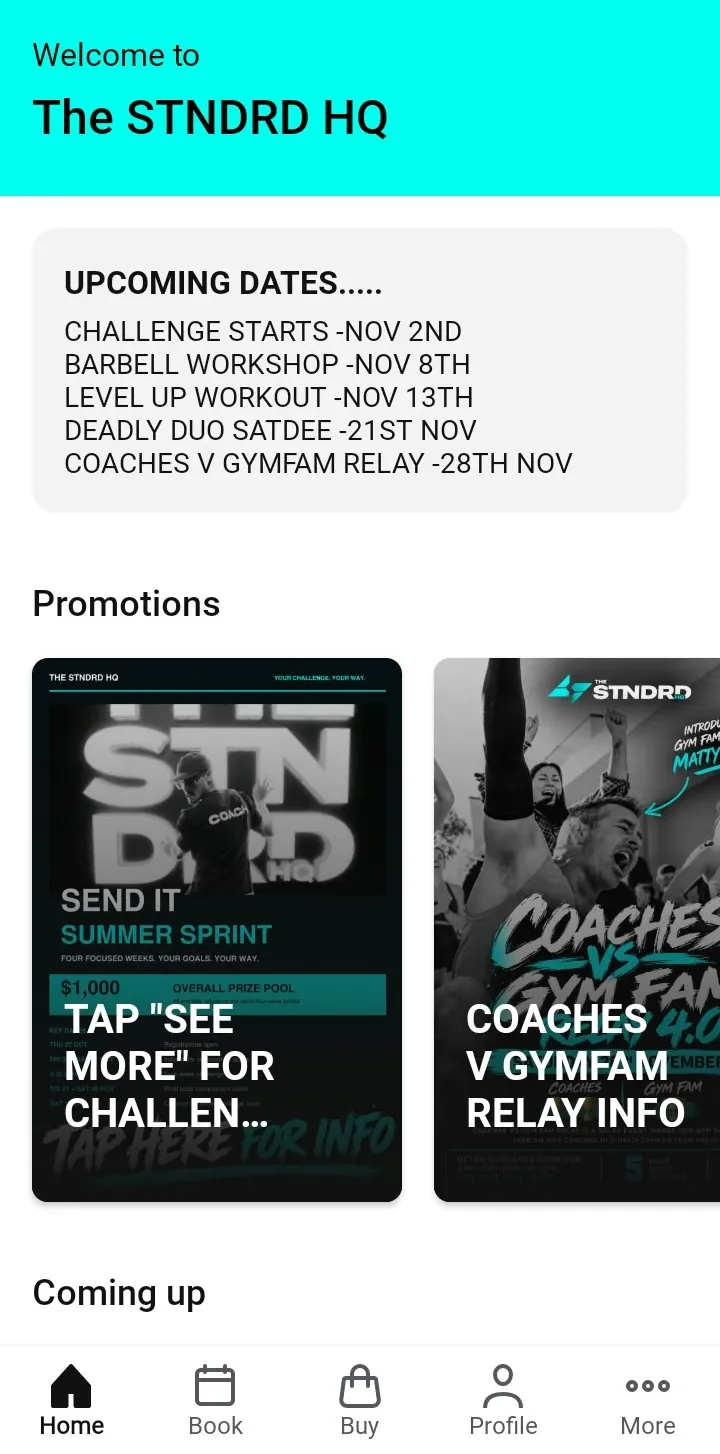
You'll land on the home screen with the latest studio news and promotions.
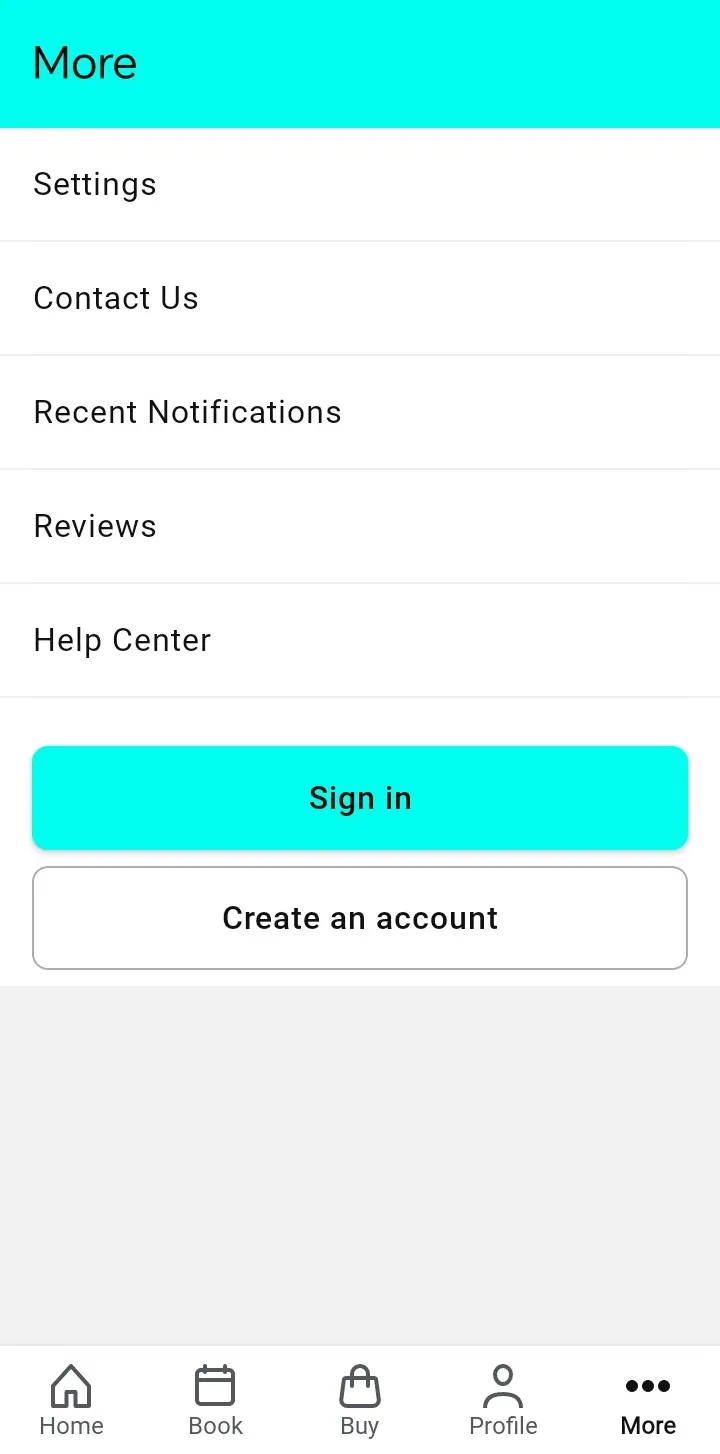
Tap More at the bottom right. New here? Tap Create an account. Already booked with us before? Tap Sign in.
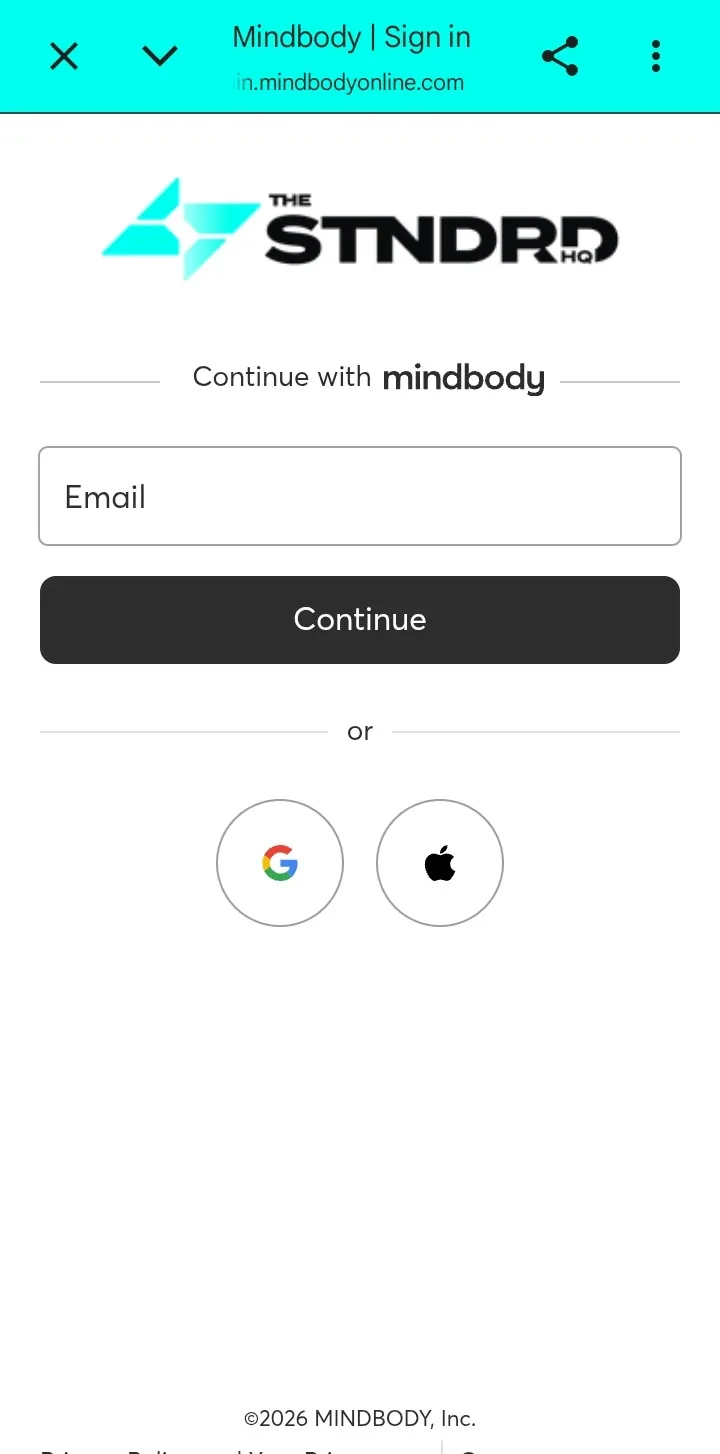
Enter your email, or continue with Google or Apple. Use the same email every time so your bookings stay on one account.
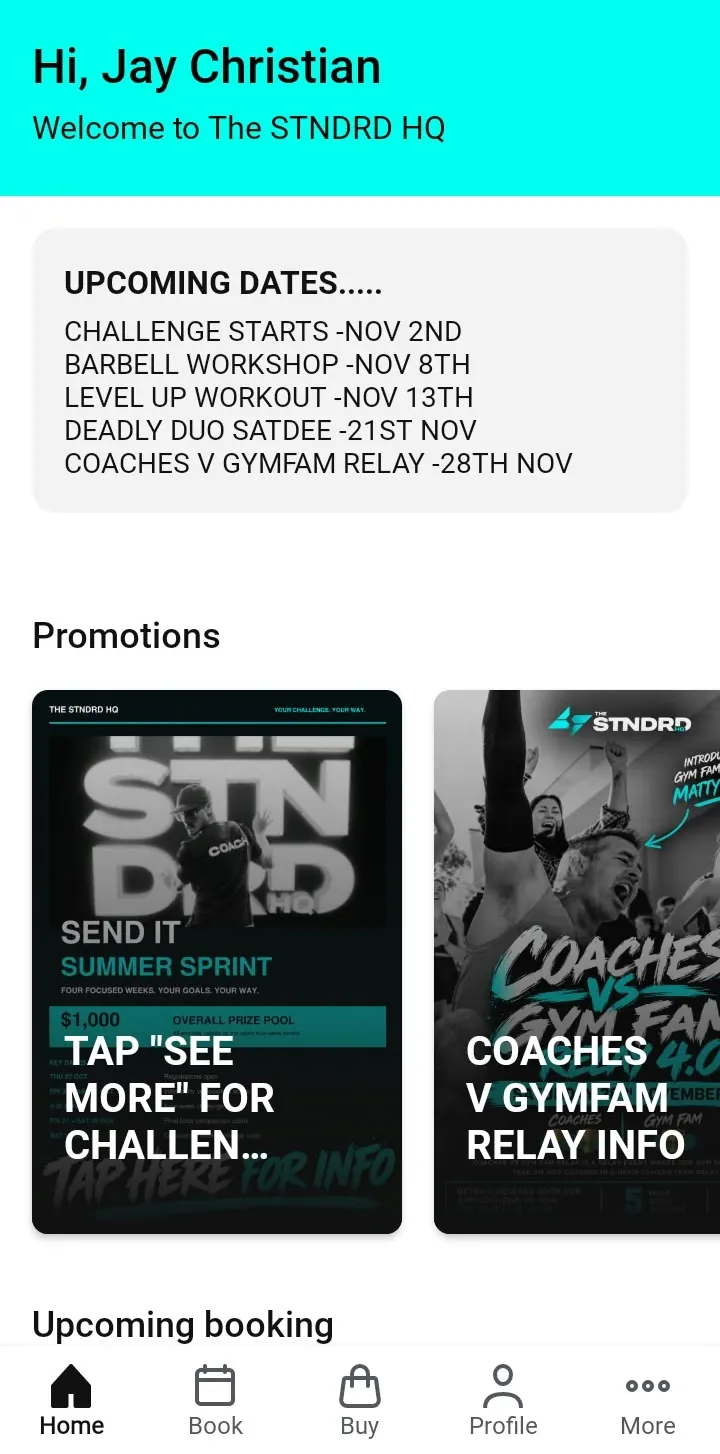
Once you're signed in, the home screen greets you by name and shows your upcoming bookings.
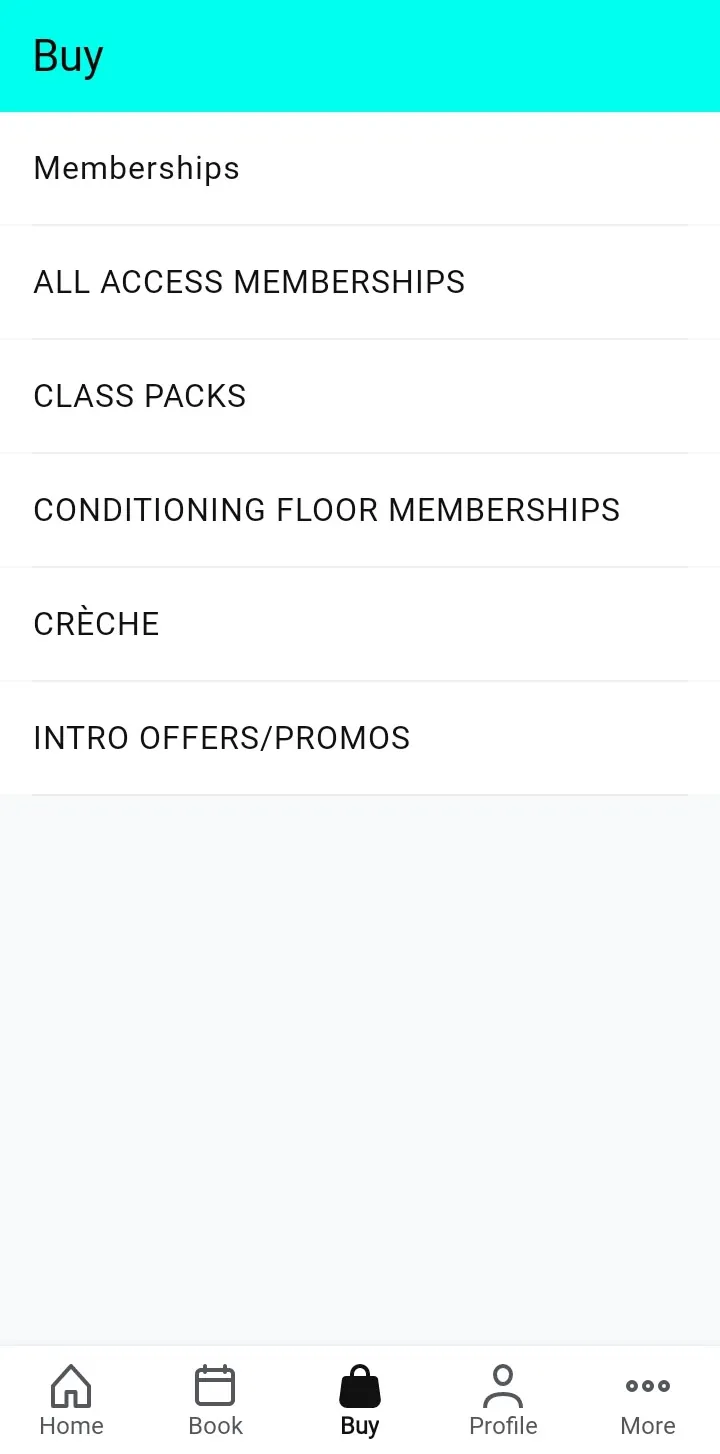
Tap Buy at the bottom of the screen and open Intro Offers / Promos.
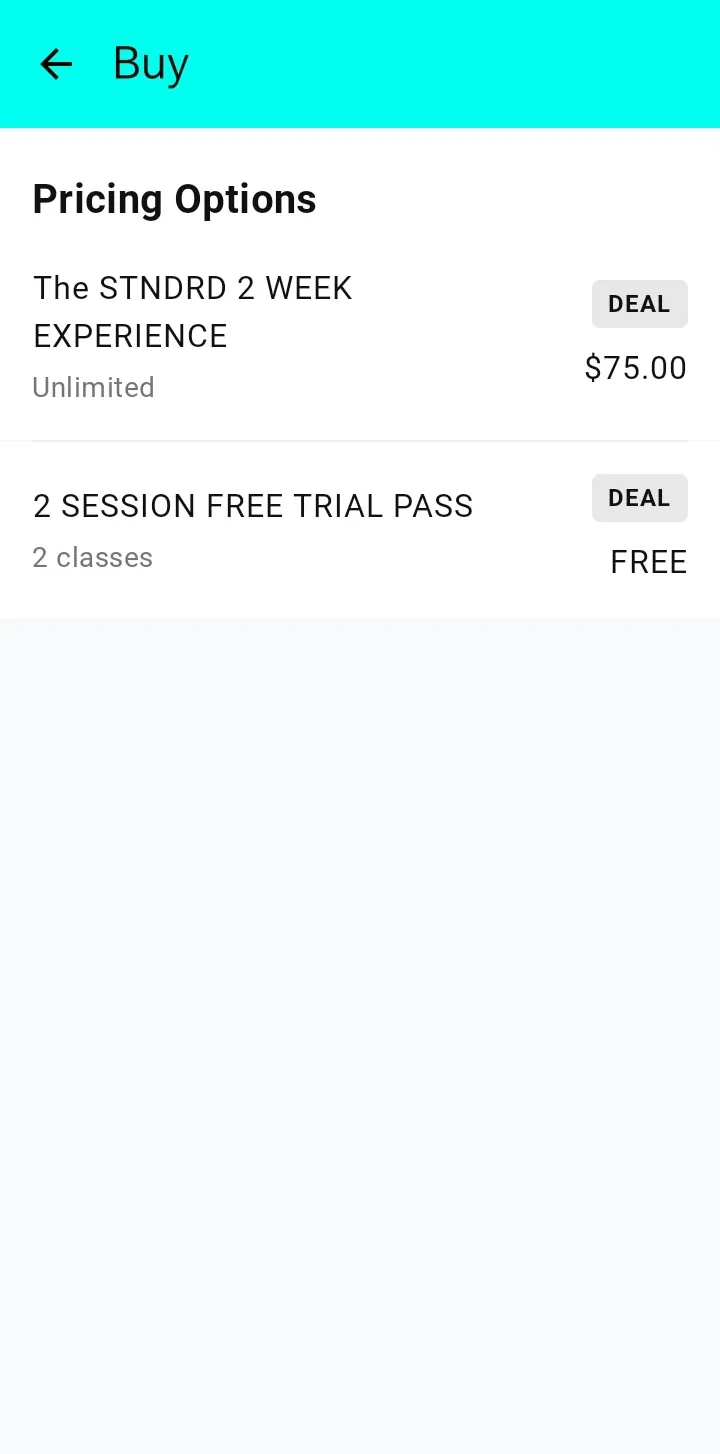
Pick the 2 Session Free Trial Pass (free) or The STNDRD 2 Week Experience ($75, unlimited classes).
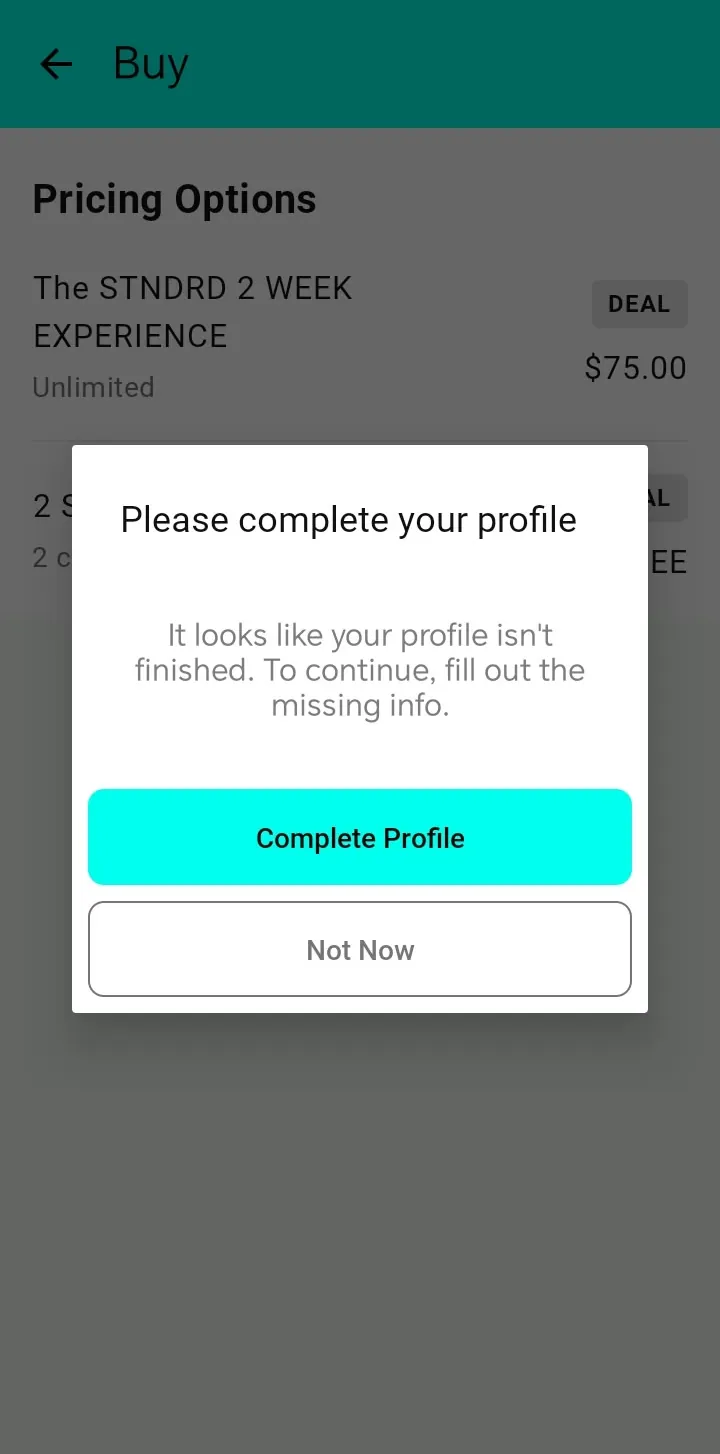
If the app asks you to complete your profile, tap Complete Profile and fill in the missing details. Then confirm your trial.
Tap Book, pick a day and a class, and you're in. Not sure which one? Leg Day, Upper Day and Hybrid Conditioning are great first sessions, and every class is coached for beginners.
Stuck? Call us on 0424 164 435 or email info@thestndrdhq.com.